
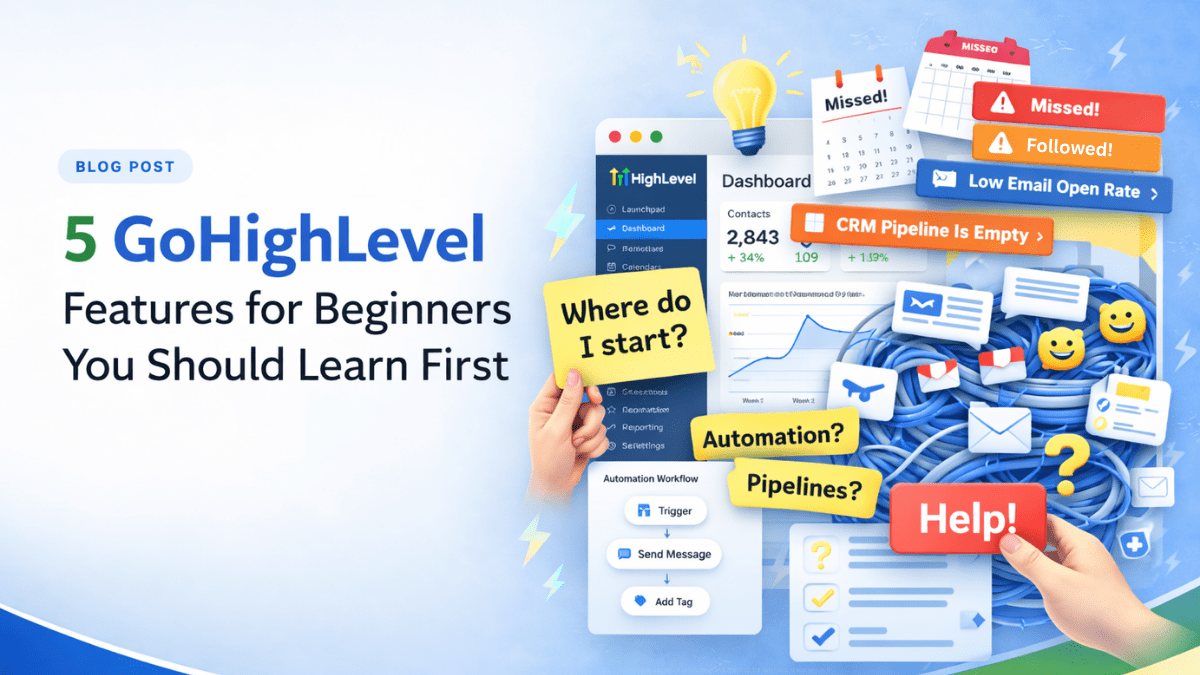
Most beginners make the same mistake with GoHighLevel.
They log in… click around… maybe watch a video or two… and somehow end up more confused than when they started.
If that’s you, don’t worry. That’s normal.
GoHighLevel is powerful, but it throws a lot at you right away. And trying to learn everything at once is the fastest way to feel stuck.
Here’s the better move.
Start with the few features that actually help you run your business. The ones that bring in leads, keep things organized, and move people toward a sale.
In this guide, we’re breaking down the GoHighLevel features for beginners that matter most. Not everything. Just the five you should focus on first.
Get these right, and the rest of the platform starts to make a whole lot more sense.
Why Beginners Get Overwhelmed with GoHighLevel
Let’s be real for a second.
GoHighLevel does a lot. And that’s exactly why it feels overwhelming at the start.
You log in and suddenly you’re looking at pipelines, triggers, campaigns, settings, integrations… it’s like walking into a fully loaded workshop when you just needed a hammer.
That’s where most people get stuck.
They try to learn everything at once instead of focusing on the GoHighLevel features for beginners that actually matter right now. So instead of making progress, they end up clicking around with no clear direction.
Here’s the shift that makes this easier.
You don’t need to master the whole platform this week. You just need to understand the GoHighLevel features for beginners that help you do three simple things:
- capture leads
- stay organized
- follow up without dropping the ball
That’s it.
Once those are working, everything else starts to click. The platform stops feeling messy and starts feeling useful.
And that’s exactly why we’re focusing on just five GoHighLevel features for beginners in this guide.
Contacts: Where Everything in GoHighLevel Starts
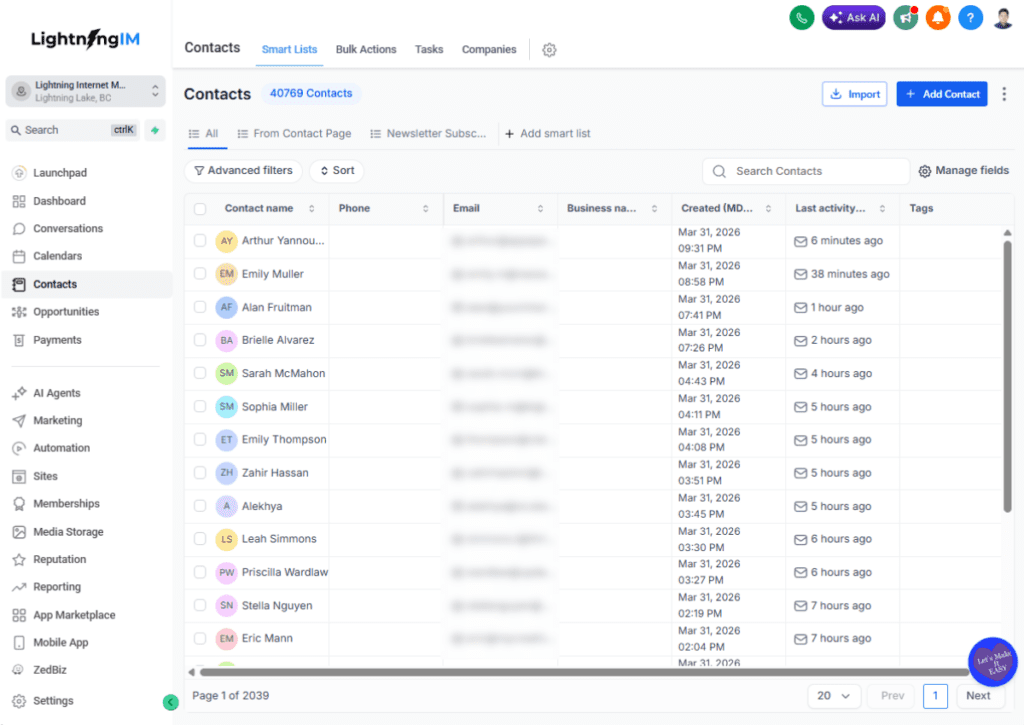
If you don’t understand Contacts, nothing else in GoHighLevel will feel organized.
Simple as that.
At its core, Contacts is where every lead, prospect, or customer lives. Every form they fill out, every message they send, every action they take… it all gets tied back to one place.
That’s why this is one of the most important GoHighLevel features for beginners to learn first.
Here’s what you can do inside Contacts:
- store names, emails, phone numbers
- add tags to group people
- track activity and history
- leave notes so you remember details later
Think of it like your digital filing cabinet. If it’s messy, everything else gets harder.
Let’s say someone fills out your form or books a call. Their info lands in Contacts. From there, you can see exactly who they are, what they did, and what needs to happen next.
That’s the power of this feature.
Most beginners skip this and jump straight into automation or funnels. Big mistake.
Because if your Contacts aren’t clear and organized, your automation won’t make sense, your follow-ups get messy, and leads start slipping through the cracks.
So before anything else, get comfortable here.
Learn how Contacts work. Clean them up. Use tags. Keep things simple.
Master this, and every other GoHighLevel features for beginners tool becomes way easier to use.
Forms: How You Capture Leads Without Chasing Them
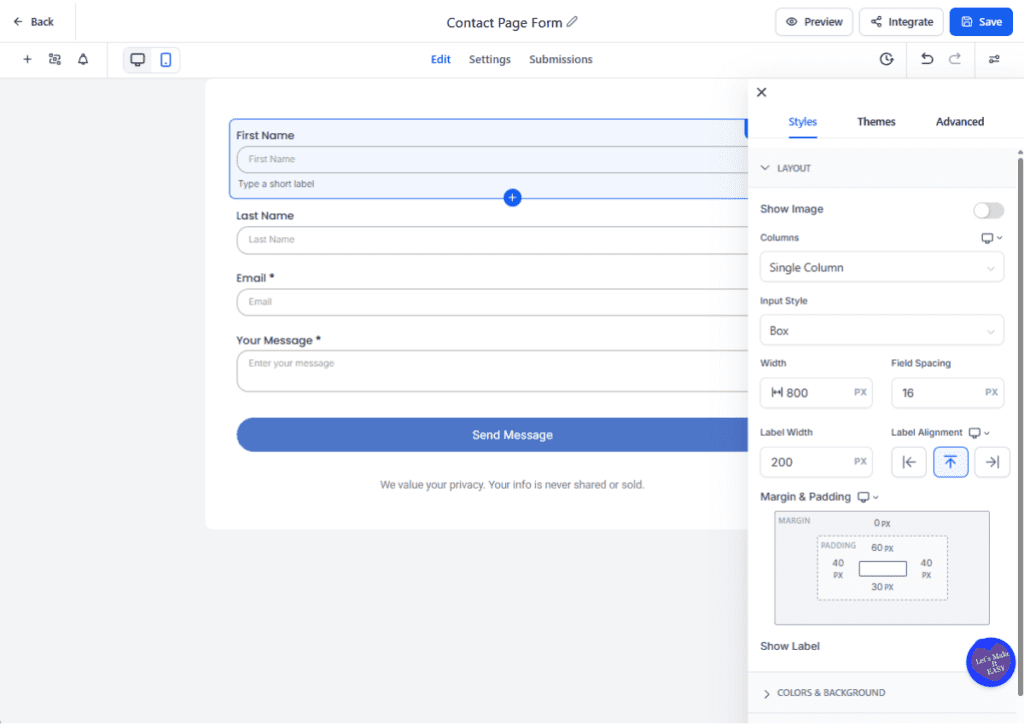
Let’s talk about how leads actually get into your system.
Because without that, nothing else matters.
Forms are one of the most practical GoHighLevel features for beginners because they do one simple job really well. They collect information from people who are interested in what you offer.
No chasing. No back-and-forth messages. No “Hey, can you send me your details?”
It’s all handled for you.
Here’s what Forms help you do:
- collect names, emails, and phone numbers
- ask a few qualifying questions
- connect directly to your Contacts list
- trigger automations right after submission
So when someone fills out your form, their info goes straight into Contacts. Clean. Organized. Ready to go.
That’s why this is one of the smartest GoHighLevel features for beginners to set up early.
Let’s make it real.
Say you’re offering a free consultation or a lead magnet. Instead of manually replying to every message, you send people to a form. They fill it out, and now you’ve got everything you need in one place.
Even better, you can connect that form to a workflow so the follow-up happens automatically.
That’s when things start to click.
Forms are not just about collecting info. They are the starting point of your entire system.
Set this up right, and the rest of your GoHighLevel features for beginners stack starts working together without extra effort.
Calendars: Let Prospects Book Without the Back-and-Forth
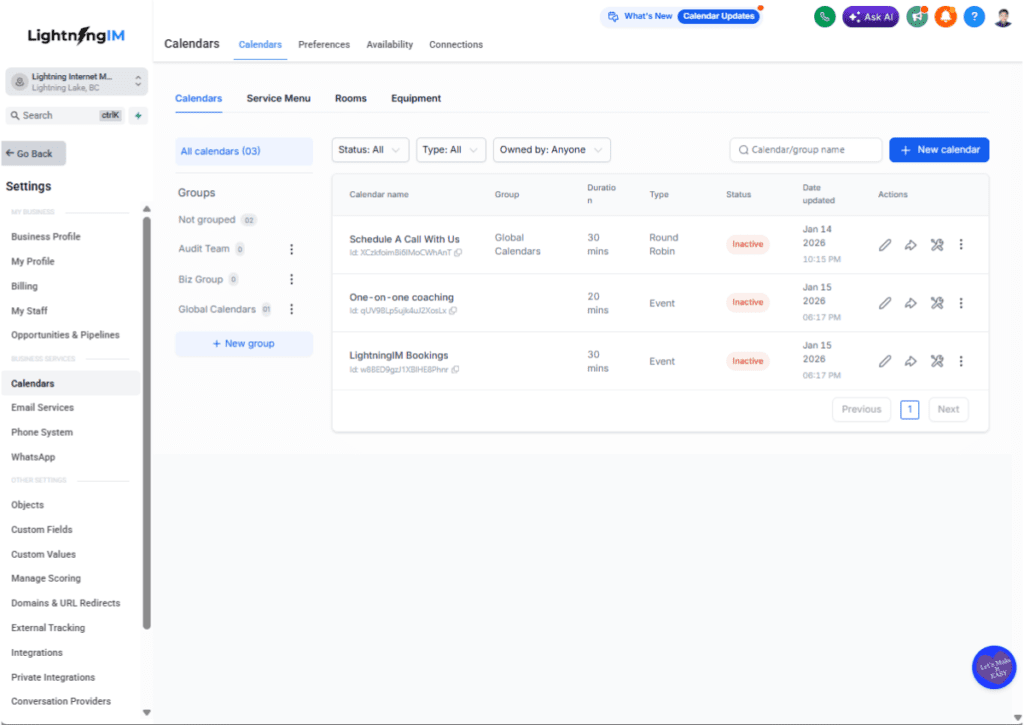
If you’ve ever gone back and forth trying to schedule a call, you already know how frustrating it can be.
“What time works for you?”
“I’m free Tuesday.”
“Not Tuesday… how about Thursday?”
It’s a mess.
That’s where Calendars come in. And honestly, it’s one of the most satisfying GoHighLevel features for beginners to set up.
Because once it’s live, the whole process gets easier overnight.
Here’s what Calendars do:
- let people book time with you based on your availability
- automatically avoid double bookings
- send confirmations and reminders
- connect directly to your Contacts and Workflows
So instead of chasing people to lock in a time, they just pick a slot that works for them.
Done.
Let’s make it real.
Someone fills out your form. Right after that, you send them to your calendar. They book a call in seconds. Now they’re in your system, with a scheduled appointment, and ready for the next step.
No friction. No confusion.
That’s why this is one of the most important GoHighLevel features for beginners to learn early.
It turns interest into action.
And here’s the kicker. When you connect Calendars with other GoHighLevel features for beginners, like Workflows, you can:
- send automatic reminders
- reduce no-shows
- follow up if they miss the call
Now you’re not just booking calls. You’re building a system that runs smoothly without you babysitting it.
Workflows: Automate the Follow-Up (So You Don’t Have To)
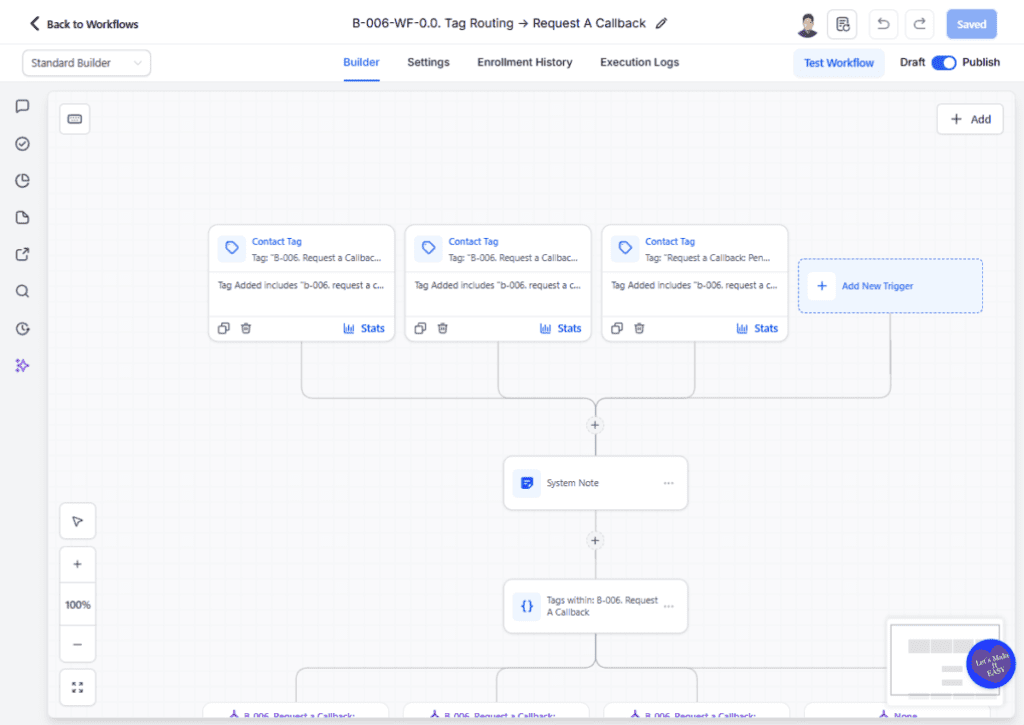
This is the feature that makes beginners either smile… or slowly back away from the screen.
But here’s the truth.
Workflows are not as scary as they look.
Out of all the GoHighLevel features for beginners, this is the one that helps you stop doing the same little tasks over and over again. Instead of manually sending texts, emails, reminders, or follow-ups, you can tell the system what to do and when to do it.
That means less busywork and fewer leads slipping through the cracks.
Here are a few simple ways beginners can use Workflows:
- send a welcome message after someone fills out a form
- send an appointment reminder before a call
- follow up when someone does not reply
- move a lead into the next step automatically
That’s why Workflows belong on any list of GoHighLevel features for beginners.
You do not need some giant automation map with twenty branches and enough steps to make your head spin. Start small. One trigger. One action. Then build from there.
For example, if someone books a call through your calendar, a workflow can send a confirmation right away, remind them before the appointment, and follow up after. That one setup can save you a pile of manual work.
And that’s really the point.
The best GoHighLevel features for beginners are the ones that make life easier fast. Workflows do exactly that. Once you understand the basics, the platform starts working with you instead of just sitting there looking complicated.
Conversations: Keep Every Lead in One Place
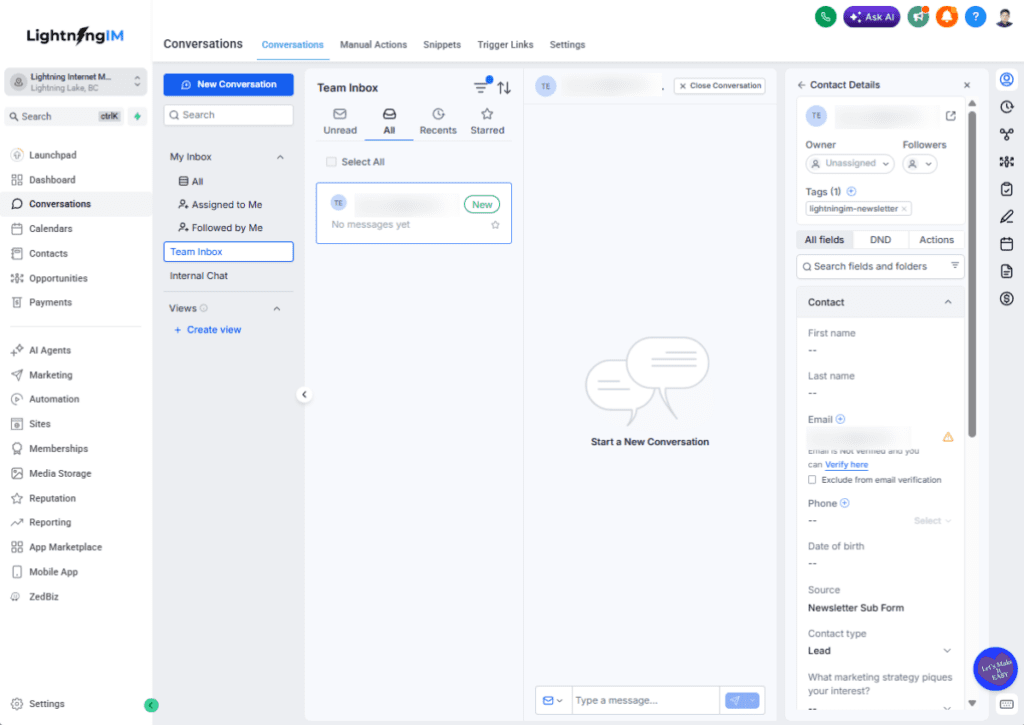
This is one of those GoHighLevel features for beginners that sounds simple, but saves a ton of headaches fast.
Because once leads start coming in, the mess starts too.
A few messages in email. A couple texts on your phone. Maybe a Facebook message sitting unopened while you try to remember who said what. That’s how follow-up gets sloppy in a hurry.
Conversations helps fix that.
It pulls your communication into one place so you can keep track of replies, follow-ups, and ongoing chats without bouncing all over the place. For beginners, that alone is a big win.
Here’s why Conversations matters:
- you can see messages in one central area
- you stay on top of lead replies faster
- you avoid losing track of important conversations
- your follow-up feels more organized and less chaotic
That’s why it belongs on any shortlist of GoHighLevel features for beginners.
Let’s say someone fills out your form, books a call, then replies to a reminder text with a question. Instead of digging through different apps trying to piece it all together, you can manage that communication in one spot.
That makes it easier to respond quickly, stay professional, and keep leads moving forward.
And that’s the real value here.
A lot of GoHighLevel features for beginners are about setup, but Conversations is where day-to-day communication becomes easier to handle. When everything is visible, it’s much harder for leads to slip through the cracks.
How These 5 GoHighLevel Features Work Together
This is where GoHighLevel starts to feel less like a pile of tools and more like an actual system.
On their own, these are useful GoHighLevel features for beginners. But when you connect them, things get a whole lot smoother.
Here’s a simple example.
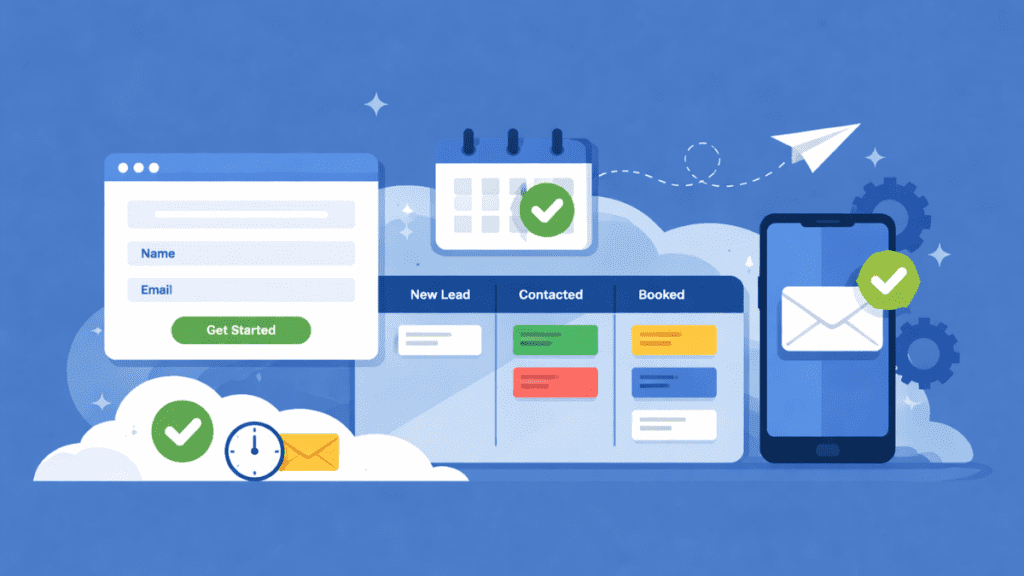
A lead lands on your site and fills out a form. That information goes straight into Contacts, so now you have their details saved and organized. Right after that, they can book a call through your Calendar, which locks in the appointment without the usual back-and-forth.
From there, Workflows take over.
You can send a confirmation text, a reminder before the call, and even a follow-up after the appointment. If the lead replies with a question, that message shows up in Conversations, where you can keep everything in one place and reply without hunting through different apps.
That’s the real power behind these GoHighLevel features for beginners.
They are not random tools sitting in separate tabs. They work together to help you:
- capture leads
- store their info
- book appointments
- automate follow-up
- manage communication in one place
Once you see the flow, GoHighLevel gets a lot easier to understand.
And honestly, that’s the part most beginners miss.
They try to learn each tool by itself, without seeing how the whole thing connects. But these GoHighLevel features for beginners make the most sense when you look at the full journey from first contact to booked appointment to follow-up.
That’s when the platform starts pulling its weight.
Final Thoughts
If you’re brand new to the platform, here’s the good news.
You do not need to learn every bell and whistle in week one. You just need to get comfortable with the GoHighLevel features for beginners that help you bring in leads, stay organized, and follow up without turning your day into a full-time game of catch-up.
That’s why these five matter first.
Contacts, Forms, Calendars, Workflows, and Conversations give you the foundation. Once you understand how they work together, GoHighLevel stops feeling like a giant toolbox dumped on the floor and starts feeling like something you can actually use with confidence.
So do yourself a favor.
Don’t try to master everything at once. Pick one feature, learn it, set it up, and move to the next. That’s how real progress happens.
And once you’ve got these GoHighLevel features for beginners working, you’ll be in a much better spot to explore the rest without feeling like your brain just got hit with a folding chair.